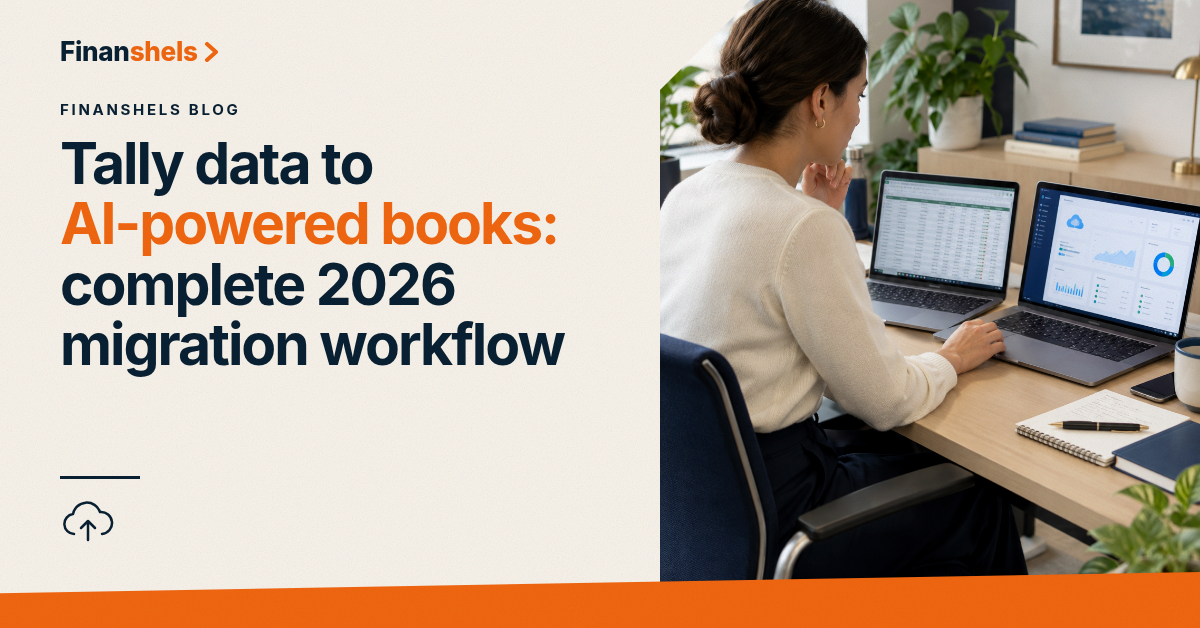
Tally data migrates to AI-powered cloud books in five steps: export the Tally masters and vouchers, clean the chart of accounts, import into the cloud ledger, reconcile opening balances to the bank, and run one parallel month before switching over. Done in that order, the books stay continuous and the FTA record-keeping chain is unbroken. Here is the complete 2026 workflow.
TL;DR
- Export Tally masters and vouchers, then clean the chart of accounts before importing anywhere.
- Reconcile opening balances to the bank on day one — a broken chain cannot be fixed later.
- Run one full parallel month on both systems before cutting over.
- Keep Tally data readable for the full 7-year retention period under Cabinet Decision 52/2017.
- Finanshels runs Tally-to-cloud migrations as part of its bookkeeping onboarding.
Why this matters
Tally holds years of transactions that remain legally relevant long after the business stops using it. Cabinet Decision No. 52 of 2017 requires accounting books to be retained for 7 years, and the records in Tally — sales, purchases, VAT returns, ledgers — are part of that obligation. Migration that abandons the old data breaks the retention chain; migration that imports it dirty replicates the mess in a new system. (Cabinet Decision 52/2017, tax.gov.ae)
The other driver is speed. An AI-powered cloud ledger codes transactions from patterns, reconciles continuously and produces VAT and corporate tax figures on demand — but only on top of clean opening data. A dirty migration forfeits exactly the automation the move was made for.
Step 1: export everything from Tally
From Tally, export two datasets:
- Masters — chart of accounts, ledgers, customer and supplier names, opening balances.
- Vouchers — every transaction from the go-live date, with dates, parties, amounts, tax codes and narration.
Use Tally's XML or Excel export, and export by financial year so the files stay manageable. Keep the export files themselves — they are part of the retained records.
Step 2: clean the chart of accounts before importing
Tally ledgers accumulate: duplicate suppliers, dead accounts, personal ledgers mixed with business ones, ledgers named after the person who created them. Before import:
- Merge duplicates and rename ledgers to a consistent convention.
- Map every Tally ledger to a target code in the cloud system.
- Park anything unidentifiable for review — do not import what you cannot explain.
This step is where the migration is actually won. Import-then-clean produces a cloud ledger as messy as the Tally it replaced.
Step 3: import into the cloud ledger
Load the cleaned masters first, then the vouchers, and let the system's import validation surface mismatches. Re-check after import: trial balance totals from Tally versus the cloud ledger for the same period should agree to the fils before anything else proceeds.
Step 4: reconcile opening balances and check the tax chain
Reconcile the opening bank balance to the actual bank statement — not to Tally's figure, to the bank's. Then check the tax chain: opening VAT receivable or payable positions carried from Tally should match what was actually filed with the FTA for those periods. A mismatch here means historical returns and historical books disagree, and that gap only widens after migration.
Step 5: run one parallel month and cut over
For one full month, record every transaction in both systems. At month-end, compare: revenue, expenses, VAT output and input, bank balance. Agree to the fils, then stop using Tally and go live. Keep the Tally data files archived and readable for the full 7-year retention period — the migration does not erase the retention obligation, it just changes where the records live.
What the migration looks like at different data volumes
| Years of Tally history | Manual migration | Systematic / assisted migration |
|---|---|---|
| 1–2 years | Days, mostly mechanical | Same-day import with validation |
| 3–5 years | A week of cleaning plus checking | Chart-of-accounts remap, staged import |
| 5+ years | Reconstruction risk on old ledgers | Archive Tally, migrate rolling 3 years, keep older data for retention |
The 5-year mark is where the calculation changes: older Tally data is mostly retention, not active bookkeeping. Finanshels runs this exact migration during onboarding to its accounting and bookkeeping service, with the parallel month as standard.
FAQ
Can I move my UAE company's books from Tally to cloud accounting without losing VAT records?
Yes. Export Tally masters and vouchers, import the cleaned data, and keep the Tally files archived — the VAT and accounting records stay retrievable for the 7-year retention period regardless of which system is live.
How long does a Tally to cloud migration take?
One to two weeks including the parallel month for most small businesses. The cleaning step, not the import, consumes most of the time.
Do I need to keep using Tally after migrating?
No, but you must keep the data readable. Cabinet Decision 52/2017 sets a 7-year retention obligation on accounting books, and the Tally export files satisfy it once archived safely.
What is the biggest risk in a Tally migration?
Importing a dirty chart of accounts. Every ledger mistake in Tally becomes a permanent coding error in the new system unless it is merged, renamed or mapped before import.
Should I migrate all historical years or just recent ones?
Migrate the recent years you actively use, and archive the rest. Active bookkeeping needs current data; the retention obligation is satisfied by keeping the old files retrievable.
One last thing
The parallel month is the step businesses skip, and it is the step that catches the errors. Every migration that skipped it found its problems in the first VAT return instead — at the FTA, in writing.