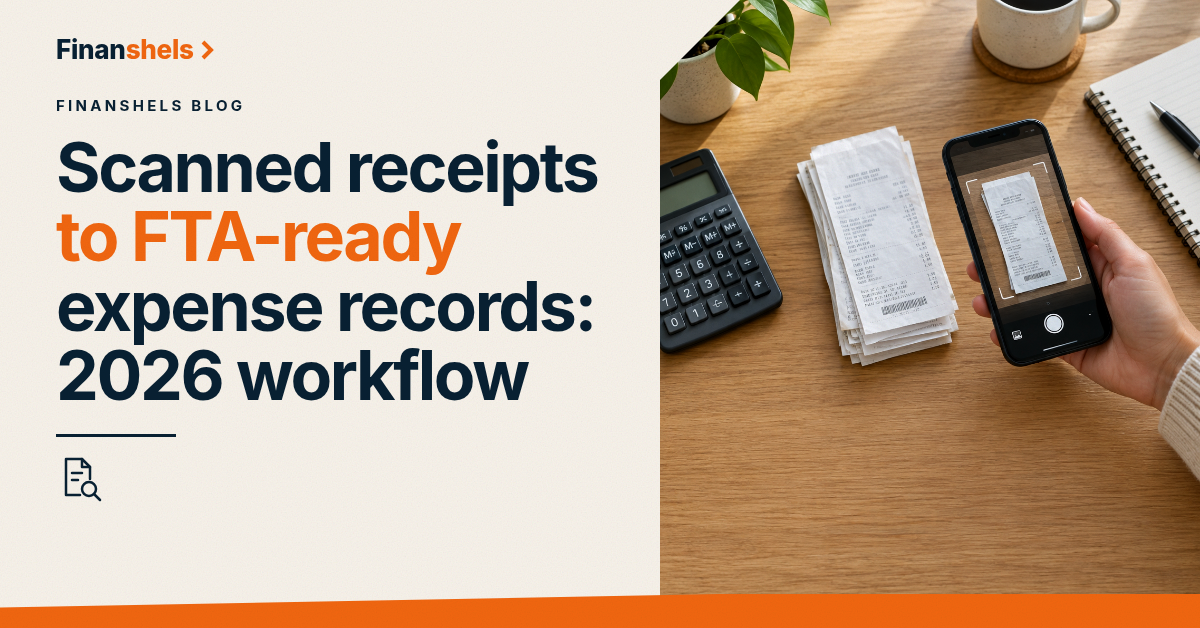
Scanned receipts become FTA-ready expense records in one pass: capture the supplier's name, VAT registration number, date, net amount, VAT amount and gross total from every document, code it to the right expense category, and file it where it can survive an audit. A photo in your camera roll is not a record. Here is the 2026 workflow that makes it one.
TL;DR
- A valid tax invoice needs supplier TRN, date, net, VAT and gross — a photo alone is not it.
- Input VAT recovery fails without a compliant tax invoice, regardless of what was paid.
- Digital copies satisfy the FTA when they are complete, legible and retrievable.
- Keep tax records 5 years and accounting books 7 years under Cabinet Decision 52/2017.
- Finanshels runs this capture-to-ledger workflow for UAE businesses as a service.
Why this matters for every UAE business
Every dirham of input VAT you claim rests on one document. Article 59 of Federal Decree-Law No. 8 of 2017 conditions recovery of input tax on a valid tax invoice — the supplier's name, address and tax registration number (TRN), the invoice date, a description of the goods or services, the net amount, the VAT amount and the gross total. Miss one element and the deduction falls away, even though the money left your account. (Federal Decree-Law 8/2017, uaelegislation.gov.ae)
The second obligation is retention. Article 48 of the same law requires accounting books and records to be kept for 5 years after the end of the tax period, and Cabinet Decision No. 52 of 2017 extends accounting books to 7 years. Tax records themselves stay at 5 years. The FTA does not accept "my supplier has it" — the record must be in your hands and retrievable. (Cabinet Decision 52/2017, tax.gov.ae)
Step 1: capture every receipt the day it exists
The capture rule is simple: the receipt is digitised on the day of the transaction, not at month-end. Paper fades, thermal prints blank out within a year, and month-end archaeology is where documents get lost.
- Photograph or scan every purchase document at the counter or desk.
- Email receipts go straight to a dedicated bookkeeping inbox.
- Card statements are evidence of payment, not of VAT — the invoice is the document that matters.
Step 2: check the six elements of a valid tax invoice
Before a scanned document enters your books, verify it carries:
- Supplier name, address and TRN.
- Invoice date and sequential invoice number.
- Description of the goods or services.
- Net amount payable.
- VAT amount charged, in AED.
- Gross total payable.
Documents that fail the check go back to the supplier for a corrected tax invoice. Under Cabinet Decision 52/2017 a supplier must issue one within 14 days of a request — and until it arrives, the input VAT on that purchase is not claimable.
Step 3: code each document to the ledger
Assign every invoice two things: an expense category and a VAT treatment. Standard-rated at 5% recoverable, zero-rated, out of scope, or blocked. The coding decision is what turns a folder of scans into accounting records.
Step 4: store digitally, retrievably, in one place
The FTA accepts electronic records. What it requires is integrity: the stored copy must be complete, legible, protected from alteration and retrievable on request. A cloud drive with a consistent naming convention — date, supplier, amount — satisfies that. A camera roll with 400 screenshots named IMG_4071 does not.
Step 5: reconcile monthly and prune nothing
Once a month, tie the scanned receipts to the card and bank statements: every expense on the statement has an invoice, every invoice has a payment. Then leave the archive untouched for its full retention period. Deletion is the one step that converts a compliant workflow into a penalty exposure.
What the workflow looks like in practice
| Stage | Manual habit | FTA-ready workflow |
|---|---|---|
| Capture | Month-end shoebox | Same-day scan or email capture |
| Validation | Trust the document | Six-element check per invoice |
| Coding | One generic "expenses" bucket | Category + VAT treatment per document |
| Storage | Camera roll / email search | Named cloud archive, 5–7 year retention |
| Reconciliation | Once a year, at audit | Monthly statement-to-invoice tie-out |
The manual habit fails at roughly twenty documents a month — that is the point where invoices start going missing and the AED amounts start being unrecoverable. Finanshels runs capture-to-ledger as part of its accounting and bookkeeping service, and the same discipline underpins every VAT registration and filing engagement.
FAQ
Are scanned receipts acceptable to the UAE FTA?
Yes. The FTA accepts electronic records when the scanned copy is complete, legible, unaltered and retrievable for the full retention period. The scan must carry the same six elements as the original tax invoice.
How long must I keep scanned receipts in the UAE?
Tax records for 5 years after the end of the relevant tax period under the VAT law, and accounting books for 7 years under Cabinet Decision 52/2017. Corporate tax records follow a similar 5-year rule under Federal Decree-Law 47/2022.
Can I claim input VAT without a tax invoice?
No. Article 59 of Federal Decree-Law 8/2017 conditions input VAT recovery on a valid tax invoice. A card statement or payment confirmation proves the payment, not the VAT.
What if a supplier's invoice is missing its TRN?
Request a corrected tax invoice in writing. The supplier must issue one within 14 days under Cabinet Decision 52/2017. Until then the VAT on that purchase is not recoverable.
Do I need to keep paper originals if I scan everything?
No — the law permits electronic record-keeping. Keep the scans compliant and retrievable, and the paper originals can go once digitised.
One last thing
The workflow's cheapest insurance is the monthly tie-out. When every statement line has an invoice and every invoice has a statement line, an FTA audit becomes a ten-minute export instead of a reconstruction project — and the reconstruction is what turns a routine check into an assessment.